
Compare
Microsoft Teams Phone vs Zoom Phone
Who each one suits, side by side, with a demo of both this week.
 Microsoft Teamsvs
Both sold, set up and supported by Empire Telecom
The short answer
Which one should you choose?
Decided by where your team already works: Microsoft 365 points to Teams Phone, Zoom meetings points to Zoom Phone.
- Choose Microsoft Teams Phone if: Organizations on Microsoft 365 that want calling inside Teams without paying for Microsoft’s calling plan.
- Choose Zoom Phone if: Teams that already run on Zoom meetings and want calling in the same app.
How they differ
Add a third platform, or swap either one.
2 picked
G2 not ratedLeaderG2 4.6LeaderWho is strong in what
Feature by feature
Scores are our take, 1 to 5, from Gartner placements, G2 reviews and our own installs. Gartner placements from the 2026 Magic Quadrant for UCaaS and the 2025 Magic Quadrant for CCaaS; G2 ratings checked October 2026. GARTNER and MAGIC QUADRANT are registered trademarks of Gartner, Inc. and/or its affiliates.
Want real prices for these? We get every platform you picked quoted below buying direct, with professional services free.
Get my offerMicrosoft Teams Phone
Where it is strong.
Real phone numbers in Microsoft Teams, through EmpireUC Direct Routing.
- Calls in the same app people already use for chat and meetings
- Managed alongside Microsoft 365 users and security
- Certified desk phones and room systems available
- Direct Routing through EmpireUC: your numbers, calls forwarded if Teams is down, and business texting
Zoom Phone
Where it is strong.
Calling inside Zoom, for teams that already meet on Zoom.
- Phone calls in the same app as Zoom meetings and chat
- Simple to add for organizations already licensed for Zoom
- Desk phones and room systems supported
- Contact center available as a separate product
See them
Real screens.
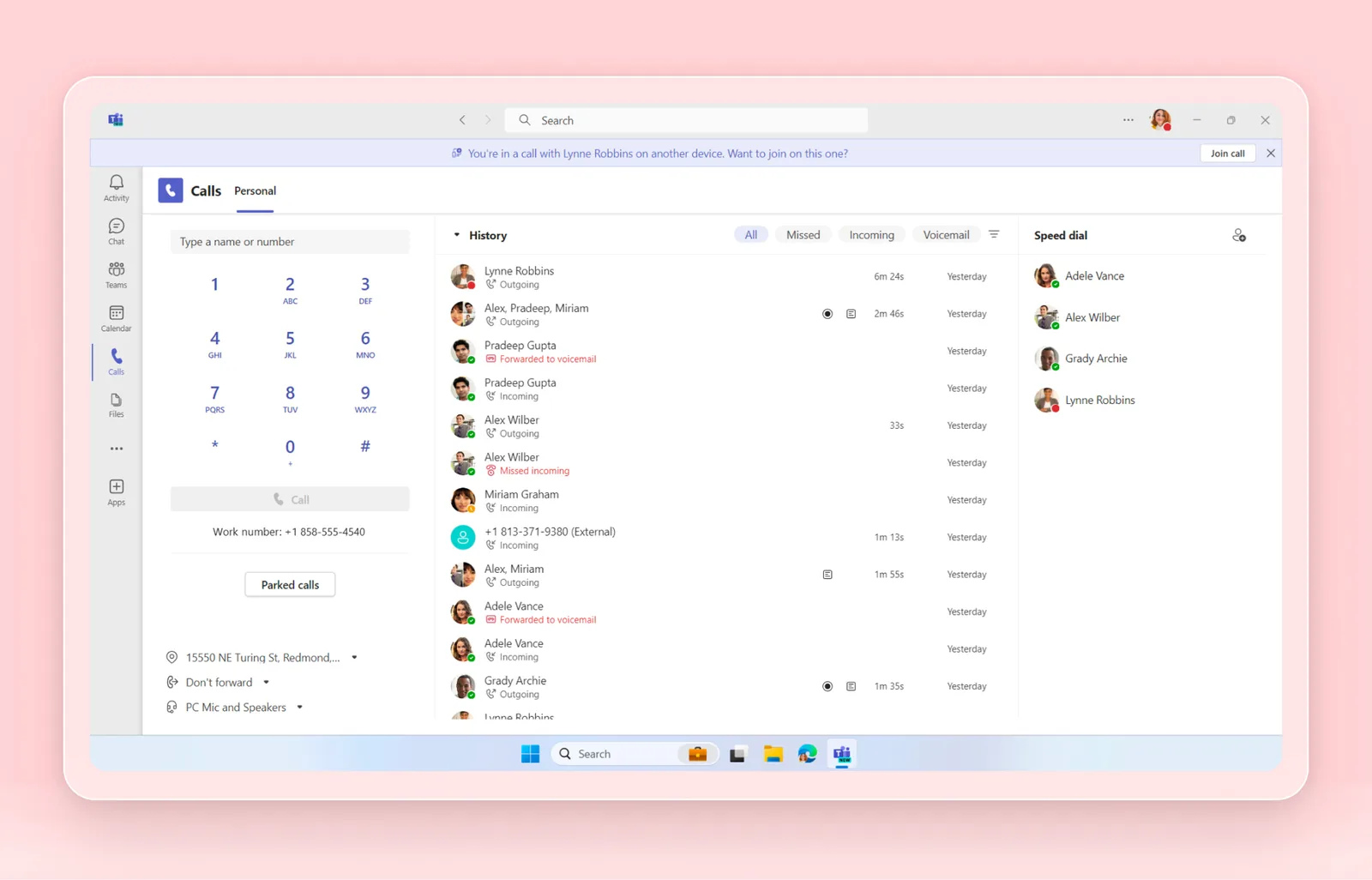
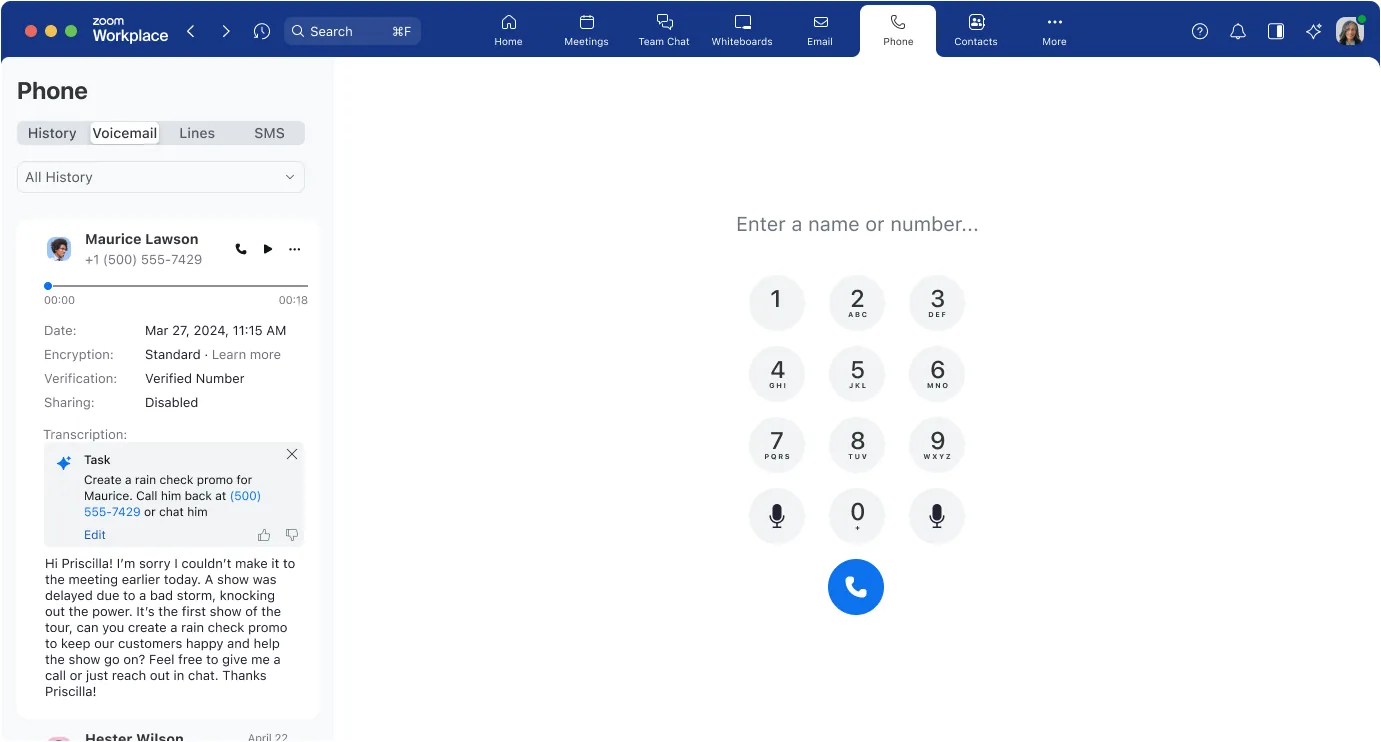
The honest answer
Demo both on your own calls.
Feature lists look alike. What decides it is how your calls route, which tools you already use, and the price you can get. We demo both platforms on your own call flow this week, and get pricing from both side by side.
Lower pricing than direct
You pay less than buying direct. We sell every major platform, put them in competition for your business and negotiate the price for you.
Demos this week
We run the demos ourselves, on your own call flow, on your schedule. No waiting for a vendor’s sales calendar.
Free professional services
Discovery, call flow design, number porting, phone setup, training and go-live support, at no charge.
More comparisons
Other platforms to consider.

RingCentral
Phone, messaging and video in one app, with one of the largest integration catalogs.

Dialpad
AI built into every call: live transcription, summaries and coaching.
8x8
Employee calling and contact center on one platform, with strong international coverage.
Nextiva
Business phone, video and messaging with customer experience tools, popular with small and mid-sized businesses.
Questions
What buyers ask us.
Is Microsoft Teams Phone or Zoom Phone better?
Neither is better for everyone. Decided by where your team already works: Microsoft 365 points to Teams Phone, Zoom meetings points to Zoom Phone.
What is the main difference between Microsoft Teams Phone and Zoom Phone?
Microsoft Teams Phone: Real phone numbers in Microsoft Teams, through EmpireUC Direct Routing. Zoom Phone: Calling inside Zoom, for teams that already meet on Zoom.
Can we see both before deciding?
Yes. We run both demos ourselves, the same week, on your own call flow.
Does it cost more to buy through you?
No, it costs less. You pay less than buying direct from either platform, and setup is free.
See Microsoft Teams Phone and Zoom Phone this week.
Tell us about your team and we will demo both on your call flow, with pricing side by side.